Verizon
These Instructions Apply to Phone Tracker™ Model 17


Unpackaging and Installation
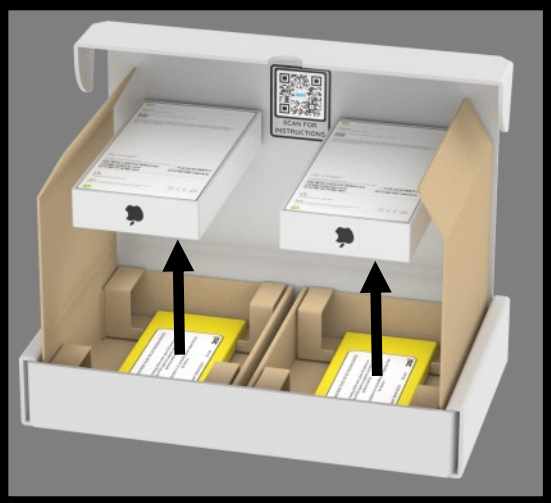
STEP 1
- Remove Phone Tracker Box from Transport Plate.
- Tracker may make a beeping noise when removed from the Transport Plate. Don’t be alarmed if you don’t hear the beeps.
STEP 2
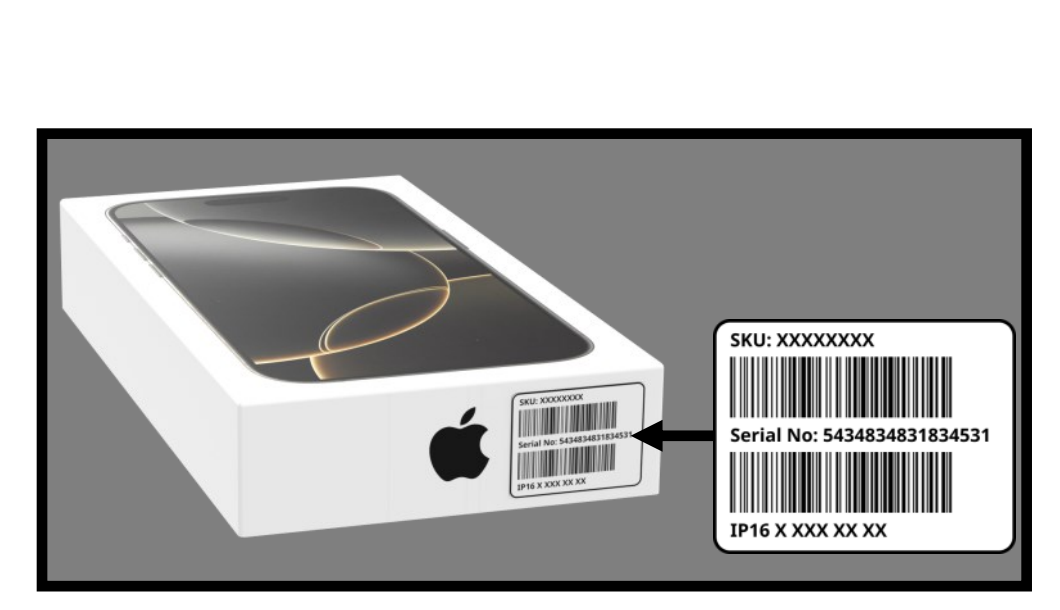
- Apply SAP label in the same position and on the same side as sellable inventory
STEP 3
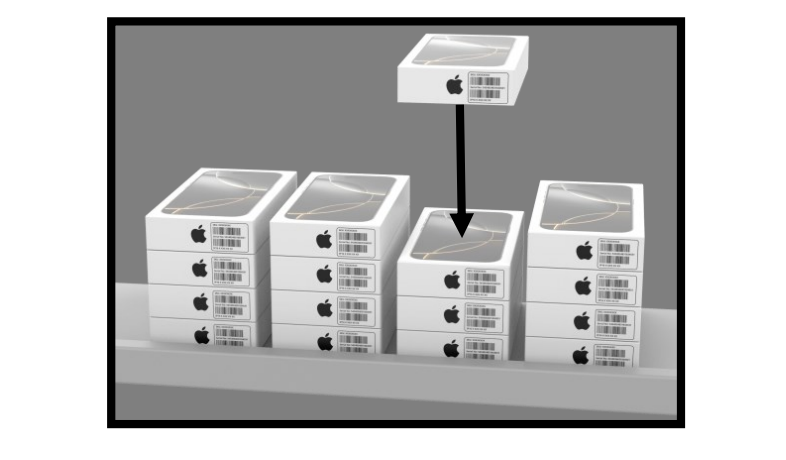
- Place Tracker with like sellable inventory. Refer to your company’s asset protection policy.
- Tracker should be indistinguishable from sellable inventory.

Unpackaging and installation for the Verizon iPhone 17 and iPhone 17 PRO
Returning Old Tracker
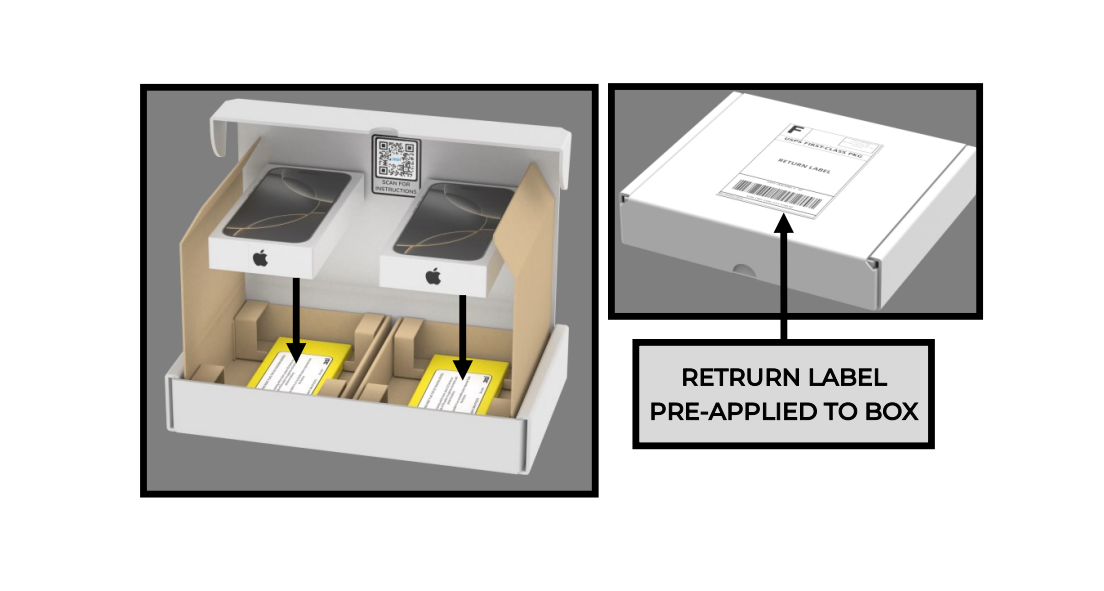
- Place old iPhone 16 tracker(s) on yellow transport plate FACE UP in the shipping box.
- Close/secure box, box has the shipping label preapplied.
- Please ship the day after installing your new devices.
- If you need a replacement label, contact 3Si at 800-433-1173.

- IF YOU NEED TO MOVE THE PHONE TRACKER OUTSIDE OF THE STORE, IT IS CRITICAL TO CALL 3Si SUPPORT IN ADVANCE AND HAVE THE TRACKER DISARMED TO AVOID ACCIDENTAL POLICE NOTIFICATION.
- DO NOT OPEN PHONE BOX. AT NO TIME SHOULD THE 2 TAMPER-PROOF SEALS LOCATED ON THE BACK OF THE BOX BE REMOVED.
- DO NOT MARK OR WRITE ON BOXES IN ANY WAY


Verizon Phone Tracker™ User guide
These Instructions Apply to Phone Tracker Model 17
Phone Tracker DOs and DON’Ts
- DO include Phone Tracker with like sellable devices – refer to company asset protection policy.
- DO charge Phone Tracker monthly using the inductive charging pad.
- DO place the SAP label on the same side as the sellable inventory label.
- DO store yellow transport plates separate from trackers.
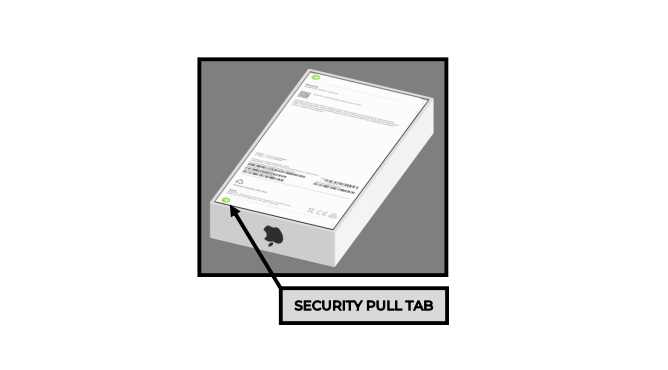
- DON’T open the box or remove the security pull tabs.
- DON’T ever place Phone Tracker in the safe.
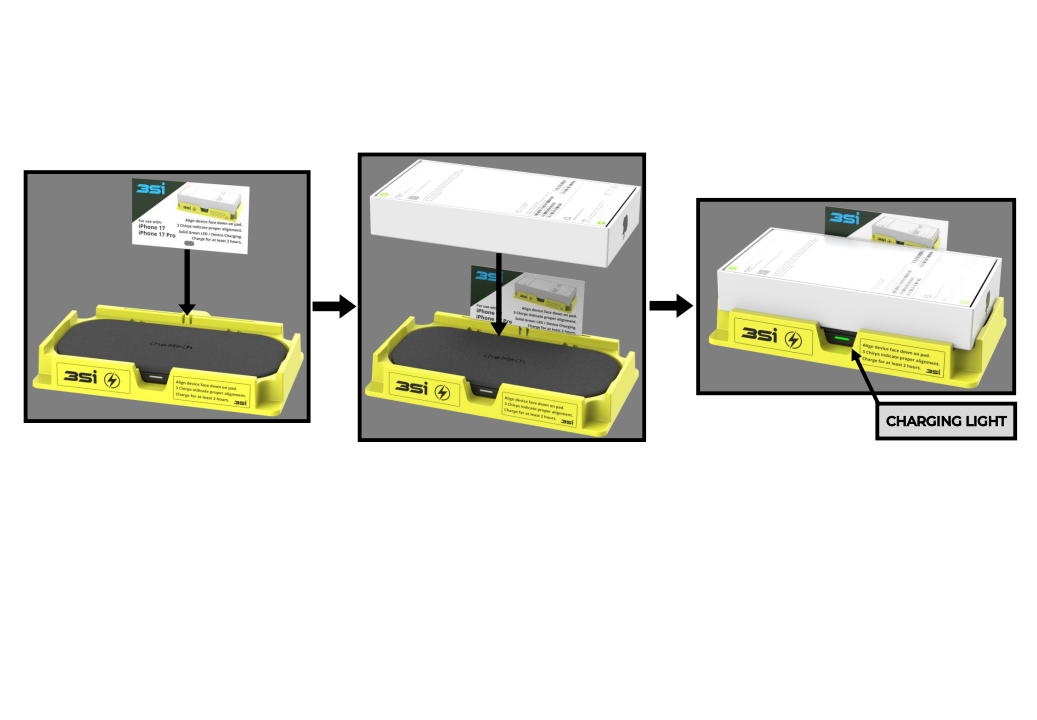
Charging Phone Tracker 17
- Locate the Phone Tracker and take to an area for charging.
- An additional instruction card can be placed in the charging base so it is not lost.
- Plug charging pad cable into a wall outlet.
- Place Phone Tracker FACE DOWN on charging pad. Tracker will chirp three times and a solid green light will appear on charging base to indicate that it is charging properly.
- Charge Phone Tracker for at least two hours, the charging light may remain on when fully charged.
- After charging, place Phone Tracker back to where it was installed so it is in place if a crime occurs.

FOR YOUR PROTECTION: The information and recommendations in this publication are, to the best of our knowledge, reliable. Recommended suggestions are only the opinion of 3Si Security Systems. 3Si MAKES NO WARRANTY OF ANY KIND, EXPRESS OR IMPLIED, INCLUDING THOSE OF MERCHANTABILITY AND FITNESS FOR PURPOSE, other than those express warranties set forth in the proposal for the Phone Tracker System. Statements herein, therefore, should not be construed as representations or warranties. Statements contained herein are not to be construed as recommending the infringement of any patent and no liability for infringement arising out of any such use is assumed. This document is proprietary and confidential. No part of this document may be disclosed in any manner without prior written consent of 3Si Security Systems.